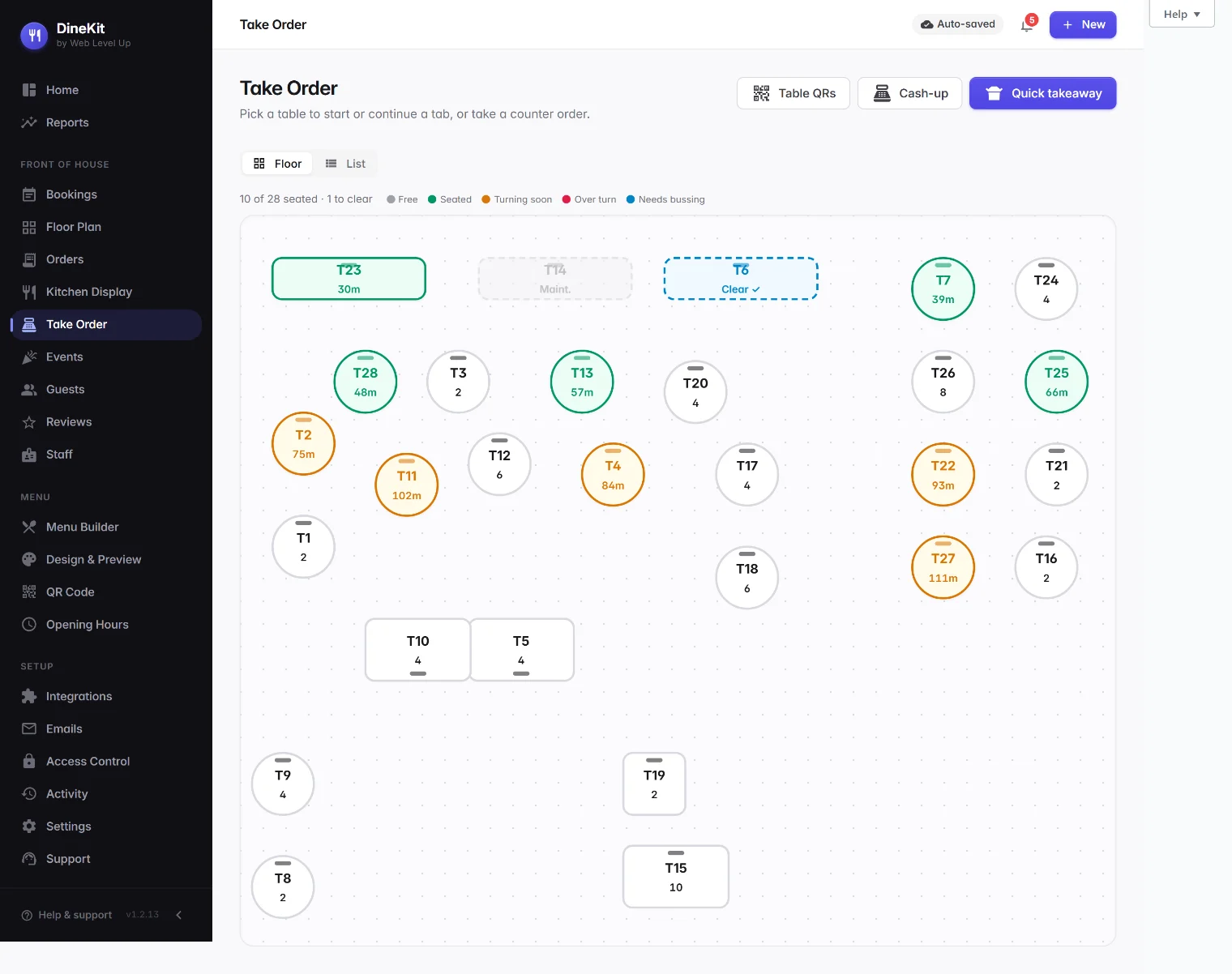
DineKit includes a genuinely free point of sale, built into the same free plugin as your menu, bookings and online ordering. Order pad, open tabs, split bills, cash and card-present payments, tips, X/Z cash-up, void/refund with a manager PIN, loyalty points and QR order-at-table — running on your own WordPress site, with no monthly software fee.
Most café and restaurant point-of-sale systems bundle three separate costs together, whether you use all of it or not.
Add a contract and hardware lock-in on top, and a “free trial” till can end up costing a small café several thousand pounds in the first year before it’s even taken an order. None of that means those systems are bad — a proper enterprise POS with integrated hardware is a real product. But plenty of small and mid-size sites are paying for scale they don’t need.
Where the free option genuinely holds up — and where a paid system still has an edge.
| What you need | DineKit | Typical paid POS |
|---|---|---|
| Monthly software fee | £0 — free | ~£69–£119+/mo per till |
| Hardware | None needed for pay-by-QR; a low-cost Stripe smart reader for card-present | Proprietary terminals, ~£600–£1,000+ each |
| Contract / lock-in | No contract, no lock-in | Typically a contract + hardware lock-in |
| Card processing | Standard Stripe rates, your own account | ~1.75–2.5%+ through their processor |
| Menu & ordering built in | Yes — same free plugin | Usually a separate module or add-on cost |
| Own your data | Open-source, self-hosted on your site | Hosted on their platform |
| Card-present method | Your own Stripe smart reader, or pay-by-QR | Their proprietary integrated terminal |
A real till, not a stripped-down demo — free, on your own WordPress site.
Ring up orders fast, keep tables open, add items as the table orders more and settle up whenever they’re ready.
Split evenly, by item, or by guest — no awkward maths at the till when a table wants separate bills.
Take cash or card-present payments via a Stripe smart reader (or pay-by-QR with no hardware), plus tips and service charge.
Run X and Z reports for shift and end-of-day cash-up, with void and refund locked behind a manager PIN.
Diners can order and pay straight from the table by QR code — no hardware needed, and it feeds the same order pad.
Reward repeat customers with loyalty points earned through the POS — built in, no separate app or card scheme.
No monthly software fee, no proprietary terminal to buy, no contract. Install DineKit free and take your first order today, or try the order demo first — see the download page for setup steps.
DineKit is free, self-contained and live in minutes. Own your menus, your bookings and your data.
Get DineKit — FreeWe use essential cookies to run this site and, with your consent, Google Analytics to see how it's used. See our Cookie Policy.