DineKit is a free, open-source restaurant rota planner for WordPress. Build the weekly rota, watch the labour cost add up in pounds as you go, handle holiday requests, and see whether you are actually staffed for Saturday — all from your own website, with no per-user monthly fee.
Most independent restaurants run the rota out of a spreadsheet that only one person can edit, a WhatsApp group where the latest change buries the last one, and a paper diary behind the pass. Holiday requests arrive on the back of a receipt. Somebody swaps a shift and forgets to tell the kitchen. By Friday nobody is completely sure who is actually working Saturday night.
The bigger problem is that none of it talks to your bookings. You can see that you have twelve people on the rota this week, but not whether that matches the covers you are expecting. So you guess. Guess low and the floor is drowning at 8pm with a two-hour wait on food. Guess high and you have paid three servers to fold napkins on a quiet Tuesday. Labour is usually the second-biggest cost in the building after food, and most operators are steering it blind, only finding out how much a week cost after payroll has already run.
The obvious fix is a dedicated scheduling tool — Deputy, Planday, 7shifts, When I Work. They work, but they charge per user per month, so the bill grows every time you hire, they hold your staff data on someone else’s platform, and they still have no idea how busy your restaurant is actually going to be, because your bookings live somewhere else entirely.
DineKit puts staff scheduling in the same plugin that runs your bookings, tables and orders — so for the first time the rota and the demand are in one place. You add your people once, with their role, where they work, and their pay rate. You build the week on a simple grid, dropping shifts onto days, and the labour cost totals up in pounds as you go, per shift, per day and for the week, before you have committed to anything.
Holiday requests come in through the same system, get approved or declined, and count down against each person’s balance, with guidance built in for the 12.07% accrual rate used for irregular-hours and part-year workers. And the part no standalone scheduler can do: an ops dashboard that reads your own bookings, seat count, service window and turn time, then tells you — for any date — whether the rota you have built is actually enough to cover the guests you are expecting.
It is free, open source, and everything lives in your own WordPress database. One honest limit up front, spelled out below: DineKit does not run PAYE payroll. That is deliberate, and you export instead.
Everything here is shipped and running — no roadmap promises, no locked “pro” tier.
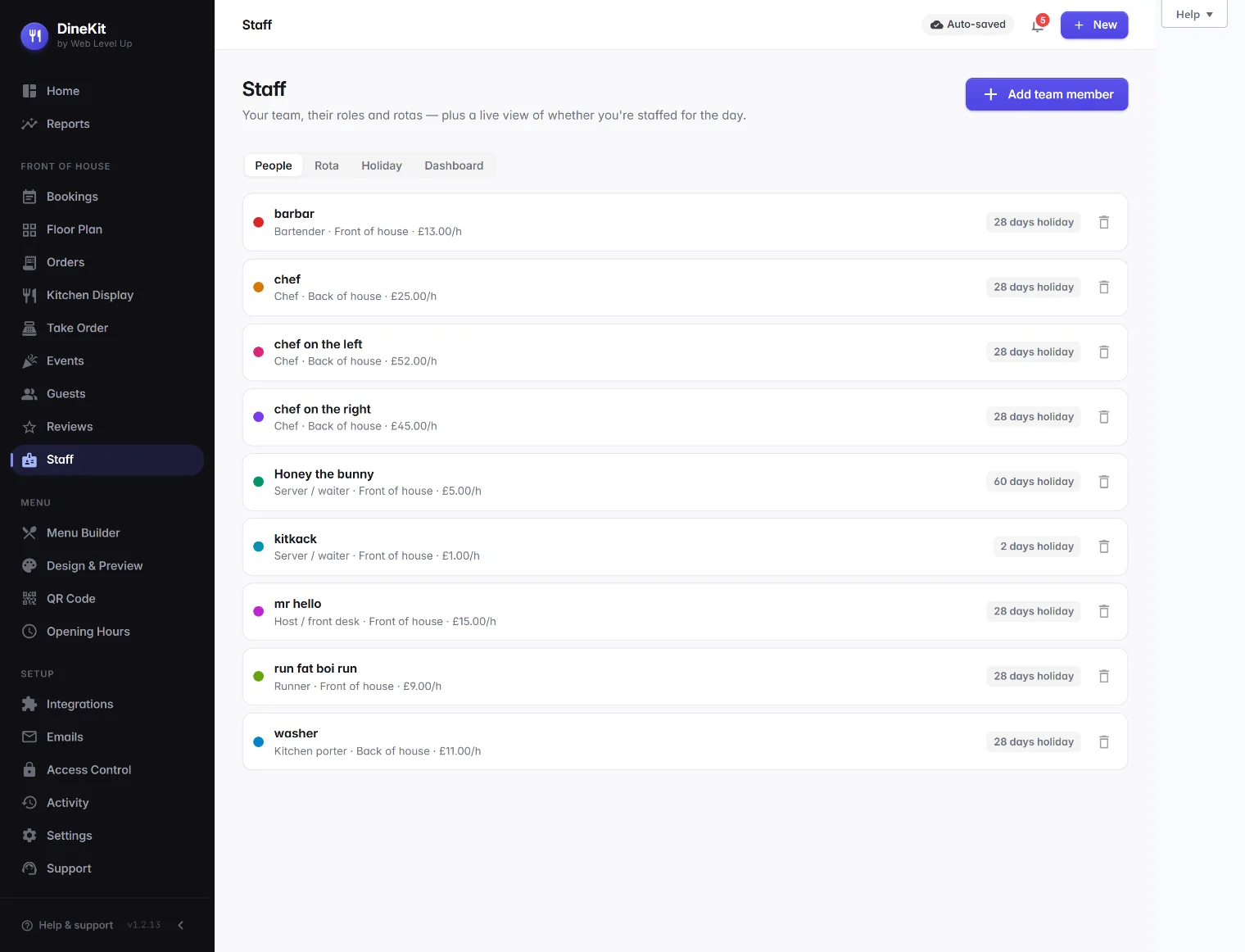
A record for every team member — role from a ten-role catalogue mapped to front-of-house or back-of-house, where they work, pay rate, holiday allowance, a rota colour and an active toggle for leavers. Add once, use everywhere.
Build the week visually by dropping shift chips onto days. Hours are calculated correctly even for shifts that run past midnight, so a late close is never miscounted.
Every shift multiplies hours by that person’s pay rate, so you see the running labour cost per shift, per day and for the whole week as you build — not weeks later when payroll lands.
Staff holiday requests are approved or declined in one place, count inclusive day spans, and draw down each person’s balance — with 12.07% accrual guidance for irregular-hours workers baked in.
For any date, see covers booked, capacity used, front-of-house on versus needed, and labour for the day — computed live from your own bookings, seats, service window, turn time and rota, with an under / over / matched banner.
Give team members their own logins with a role-to-permission matrix, so a server sees what a server should and a manager sees more — no sharing the owner’s password around.
An activity log records who did what, so shift changes, approvals and edits are all on record rather than lost in a chat thread.
Export a provider-neutral timesheet and holiday record — including the rolled-up 12.07% line — to hand to your accountant or payroll provider. Honest by design: DineKit does not file PAYE itself.
How a free, self-hosted rota built into your own site compares with a per-user scheduling subscription.
| What you need | DineKit | Paid scheduling SaaS |
|---|---|---|
| Monthly / per-user fee | Free — no per-head charge | Priced per user, per month |
| Built into your own bookings & covers | Yes — same plugin as bookings and tables | No — scheduling only, blind to your demand |
| Live £ labour-cost view | Yes, as you build the rota | Often a higher-tier add-on |
| Holiday tracking & balances | Yes, with 12.07% accrual guidance | Usually yes, on paid plans |
| PAYE payroll filing | Export to your payroll provider (honest: not filed in-plugin) | Rarely; usually a separate integration too |
| On your own site & data ownership | Yes — data stays in your WordPress database | No — staff data lives on their platform |
| Lock-in | None — open source, yours to keep | Stop paying and you lose access |
This is the part that makes DineKit different from a stand-alone rota tool, so it is worth explaining exactly how it works. Pick any date. DineKit already knows how many covers are booked for that day, because your reservations live in the same plugin. It knows your total seats and how long a table typically turns, so it can work out how much of your capacity is spoken for across the service. And it knows who you have rostered on, because you built the rota in the same place.
Put those together and the dashboard shows you four things for that date: covers booked, capacity used, front-of-house on versus front-of-house needed, and the labour cost for the day. It then gives you a single, honest banner — understaffed, overstaffed, or matched. The maths is tunable to how you actually run: set your own covers-per-server, your seat-utilisation assumption, and a target labour percentage, and the read-out reflects your restaurant rather than a generic template.
The practical effect is that “are we actually staffed for Saturday?” stops being a Friday-night gut feeling and becomes something you can look at on Tuesday, while you can still do something about it. If a big group booking lands, the dashboard reflects it immediately. If you have quietly over-rostered a slow midweek lunch, you can see the labour cost of that decision before you have paid for it, not after.
We would rather be straight with you than oversell. DineKit does not run UK PAYE payroll, and that is a deliberate decision, not a missing feature. Real payroll means Real Time Information submissions to HMRC on every pay run, pension auto-enrolment duties with The Pensions Regulator, and tax and National Insurance rates that change every year. Getting any of that wrong has consequences for your business, and it is a full compliance product in its own right.
So DineKit does the scheduling, the hours, the labour cost and the holiday tracking — the parts that genuinely belong next to your bookings — and then hands off cleanly. You export a provider-neutral timesheet and holiday record, including the rolled-up 12.07% accrual line, and your accountant or payroll provider (or a dedicated tool like Staffology or Xero Payroll) does the filing. You get the day-to-day rota software for free, and you keep using a proper payroll process for the legal part. That is a better outcome than a half-built payroll feature you would not want to trust.
The staff module gets stronger the more of DineKit you use: pair the rota with the built-in table booking system so the “are we staffed?” dashboard reads your real covers, add the free restaurant POS to run orders on the same platform, and turn repeat diners into regulars with the guest CRM — all free, all on your own website.
DineKit is free, self-contained and live in minutes. Own your menus, your bookings and your data.
Get DineKit — FreeWe use essential cookies to run this site and, with your consent, Google Analytics to see how it's used. See our Cookie Policy.